Twitter Management Tool: Pick the Right X Stack for 2026
Twitter management tool comparison across four tiers (solo, team, agency, enterprise); complete 2026 guide on features, pricing, and a four-question diagnostic.


Managing an X presence with one account, 5 posts a week, and no team is doable from the native interface. Managing multiple accounts, 30+ weekly posts, team approvals, customer service, and analytics from analytics.x.com alone is impossible. A Twitter management tool centralizes scheduling, content production, engagement tracking, and team coordination so the operational complexity scales without your headcount doubling.
This guide breaks down what X management tools actually do in 2026, the four tiers of tools by user persona (solo creator, small team, agency, enterprise), the features that matter most at each tier, pricing benchmarks, and the workflow integrations that make management tools genuinely save time. By the end you will know exactly which tool fits your stage and how to switch when you outgrow it.
What a Twitter (X) Management Tool Actually Does
The core capabilities split into six areas.
- Scheduling: Queue posts in advance, distribute across optimal times.
- Drafting: AI-assisted content creation, voice training, template libraries.
- Multi-account management: Handle multiple X accounts from a single dashboard.
- Team collaboration: Approval workflows, role permissions, content calendars.
- Analytics: Performance dashboards, cross-account comparisons, custom reports.
- Engagement and inbox: Unified view of mentions, replies, DMs across accounts.
Single-user tools cover the first three. Team tools add collaboration and engagement. Enterprise tools layer compliance, custom integrations, and white-label reporting.
The Four Tiers of X Management Tools
Each tier serves a distinct persona.
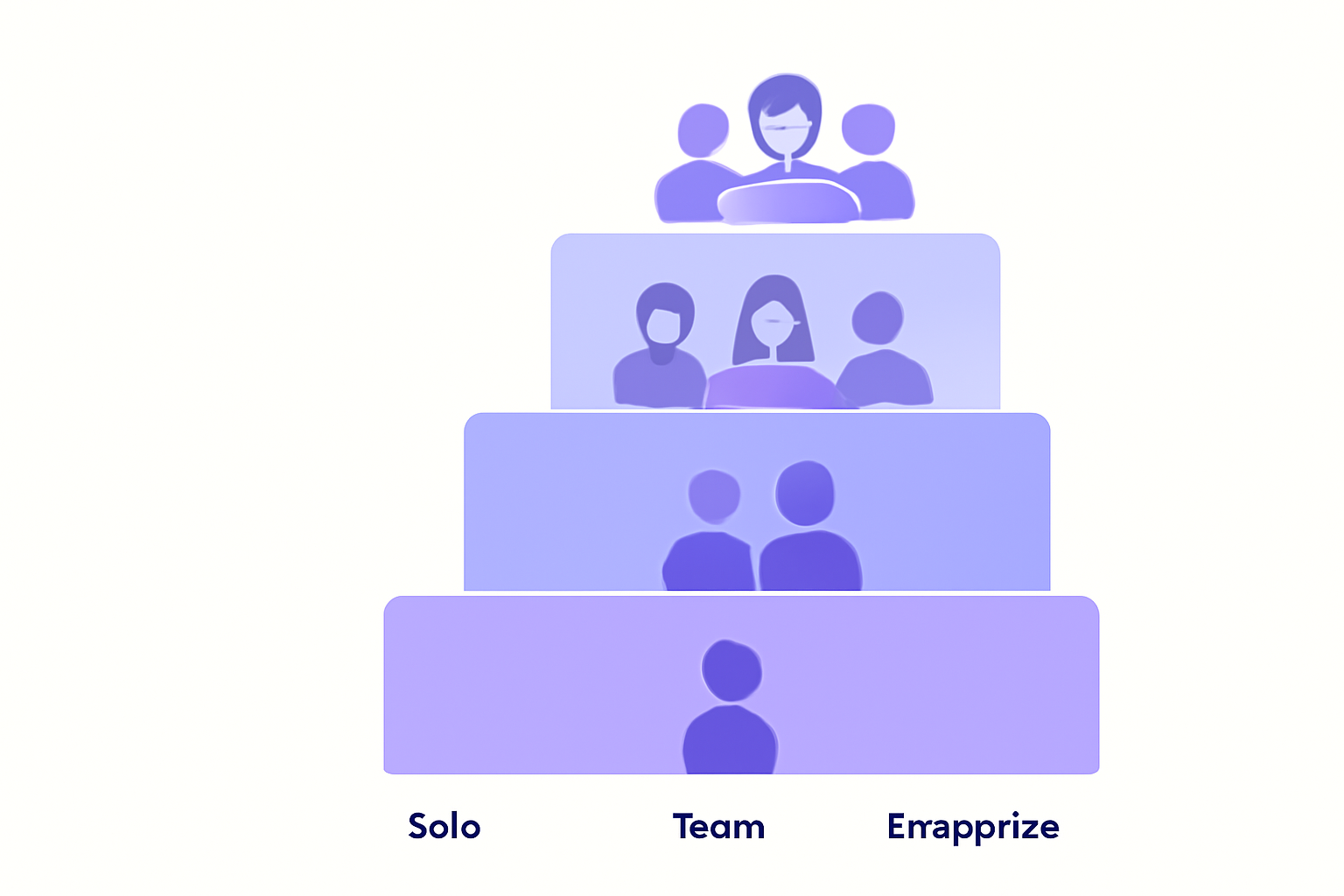
| Tier | Persona | Cost Range | Tools |
|---|---|---|---|
| Solo creator | Single account, <30 posts/week | $0-$25/month | X native, Hypefury, Buffer free |
| Small team | 1-3 accounts, content marketing | $25-$100/month | Buffer Team, Hypefury Team, Hootsuite Pro |
| Agency / multi-brand | 5-30 client accounts | $100-$500/month | Hootsuite, Sprout Social, SocialPilot |
| Enterprise | 30+ accounts, compliance needs | $500-$5,000+/month | Sprinklr, Khoros, Buffer Enterprise |
| Xarmy AI Suite | Creators serious about engagement | Free to start | Scheduling + AI drafting + verified community |
Most users pick the wrong tier on first try. Solo creators buy enterprise plans they cannot fully use; agencies try to make solo tools work for 20 client accounts. Match tier to actual usage.
Solo Creator Tools: $0-$25/month
The right setup for single-account users posting under 30 tweets per week.
X Native Scheduler (Free)
Built into the web compose box. Schedule up to 18 months in advance. Single account. Limitation: no multi-account, no AI drafting, no analytics beyond standard.
X Premium ($8-$16/month)
Not a management tool per se, but the 2.4x reach multiplier and expanded analytics make it the foundation for any solo workflow. Most growth-focused solo creators subscribe.
Hypefury ($19/month starting)
X-focused creator tool. Drafting, scheduling, tweet recycling, basic analytics. Manages 1-5 accounts on paid tier. Best balance of features for solo creators.
Buffer Free Tier
Basic scheduling across multiple platforms including X. Free tier limited to 10 scheduled posts. Useful for cross-platform creators.
Total solo stack cost: $0-$35/month for full coverage.
Small Team Tools: $25-$100/month
For 1-3 accounts with content marketing teams.
Buffer Team ($35+/month per channel)
Multi-user, approval workflows, content calendar, analytics. Best for cross-platform teams.
Hypefury Team ($49+/month)
X-focused team tools, AI drafting, recycling. Best for X-first content teams.
Hootsuite Professional ($99/month)
Multi-account, basic team features, analytics. Hootsuite scales up well to agency tier.
Common stack: Hootsuite or Buffer Team for scheduling and approvals, plus X Premium for each managed account, plus a dedicated analytics layer (Brand24 or Mention.com).
Agency / Multi-Brand Tools: $100-$500/month
For agencies managing 5-30 client accounts.
Hootsuite ($249-$899/month)
Industry standard for agencies. Strong multi-account, team workflows, client reporting, white-label options on higher tiers.
Sprout Social ($249-$499/month)
Best dashboards in the category. Premium pricing reflects polish and reporting depth.
SocialPilot ($30-$199/month)
More affordable than Hootsuite or Sprout. Good for budget-conscious agencies.
Common stack: Sprout Social or Hootsuite for multi-account management, Brand24 for sentiment monitoring, and custom-built reporting on top.
Enterprise Tools: $500-$5,000+/month
For large brands and enterprises with 30+ accounts and compliance requirements.
Sprinklr ($custom)
Full-stack enterprise platform. Includes social listening, advertising management, customer service routing, compliance.
Khoros ($custom)
Strong for customer service and community management at enterprise scale.
Buffer Enterprise ($custom)
Enterprise version of Buffer with custom integrations, dedicated support.
Most enterprise buyers also negotiate custom contracts that bundle X Ads spend with management tools, capturing efficiencies the off-the-shelf pricing does not.
The Features That Matter Most
Six capabilities that distinguish good tools from great ones.
- Engagement velocity tracking: First-30-minute engagement is the strongest algorithmic signal in 2026. Tools that surface this metric (Black Magic, Hypefury) help you optimize.
- AI drafting with voice training: Pure AI output sounds generic. Voice-trained AI uses your historical posts as style guidance.
- Tweet recycling with variation: Automate evergreen content rotation while preventing duplicate content flags.
- Cross-account reporting: For agencies, the ability to compare client account performance in a single dashboard.
- Unified inbox: Mentions, replies, and DMs across accounts in one view.
- Approval workflows: Multi-tier approval before posts go live, with audit trails.
According to Metricool's 2026 study of 1.1 million posts, accounts using engagement-velocity-aware tools see 30-50% higher reach growth than accounts using basic scheduling alone.

How Engagement Velocity Tools Differ
Most management tools focus on scheduling. The single most important algorithmic signal in 2026 is engagement velocity (first 30 minutes after posting), and only a few tools surface it natively.
Retweets surged 35% year over year on X (4.93 to 6.67 per post on average) according to Sprout Social's 2026 data, and replies grew 21%. The algorithm weights early engagement disproportionately, which means tools that help you spot and capitalize on velocity windows produce outsized growth.
Our AI-powered platform combines scheduling, AI drafting, and engagement velocity from 10,000+ verified creators in your niche. Members generate the first-30-minute signal that triggers algorithmic amplification, with 450% average reach increase compared to basic scheduling alone.
Common Management Tool Mistakes
Five patterns that waste budget.
- Buying the wrong tier: Solo creators paying $250/month for Sprout Social; agencies trying to manage 20 accounts on Buffer free tier.
- Stacking redundant tools: Subscribing to two scheduling tools that overlap 80% of features.
- Ignoring engagement velocity: The most predictive metric for reach in 2026; surfaced only by select tools.
- Set-and-forget posting: Scheduling without showing up for replies kills algorithmic distribution.
- No analytics review cadence: Tools become expensive dashboards if you never review them. Block weekly time.
How to Pick the Right Tool
Four-question diagnostic.
1. How Many Accounts Do You Manage?
1 account = solo tier. 1-3 = small team tier. 5-30 = agency. 30+ = enterprise.
2. How Many Posts per Week?
Under 30 = X native + Hypefury or Buffer free. 30-100 = Hypefury paid or Buffer Team. 100+ = full agency tools.
3. Do You Need Team Approvals?
If yes, you need at least small team tier ($35+/month). If no, solo tools suffice.
4. Engagement Velocity or Just Scheduling?
If you want algorithmic amplification, add a velocity-aware tool (Black Magic, Hypefury, or our AI-powered platform) on top of basic scheduling.
Our engagement rate calculator guide covers the metric framework for evaluating tool ROI.
Frequently Asked Questions
What is the best Twitter (X) management tool for solo creators?
Hypefury at $19/month is the most popular X-focused option, combining scheduling, drafting, recycling, and basic analytics. Pair with X Premium ($8/month) for the 2.4x reach multiplier. Total stack runs $27/month for full solo creator coverage. Buffer free tier works for cross-platform creators on tight budget.
How much does an X management tool cost in 2026?
Solo creators: $0-$35/month. Small teams: $35-$100/month. Agencies managing 5-30 accounts: $100-$500/month. Enterprises with compliance needs: $500-$5,000+/month. Most users start at the solo tier and upgrade only when account count or team size demands it.
Do I need a management tool if I only post on X?
X's native scheduler handles single-account, light-volume posting for free. Once you cross 30 posts per week or 2+ accounts, a dedicated tool saves significant time. The break-even point is typically reached when you batch-write content; managing the queue manually consumes hours per week that a $19/month tool eliminates.
A well-chosen Twitter management tool turns operational complexity into scaled output. Pick the right tier for your scale, integrate engagement velocity tracking, and the time savings compound. Try our AI-powered platform for free to combine smart scheduling with real engagement from 10,000+ verified creators, the formula that consistently lifts every account's algorithmic distribution.